It has been more than two years now since I began my “The Medway Scene (Post 2000)” project and we’ve come a long way. This week, the collection smashed through 500 individual Medway music items, consisting of a whole lot of CDs, a stack of newspaper clippings, and a bunch of other Medway Scene ephemera like music videos, flyers, ‘zines, and photos.

It’s a beautiful thing and pretty much entirely unique on the Internet; there is no other readily accessible collection of Medway Scene music and gubbins as that which I have built on the Internet Archive. Indeed, there are scant few such collections online for any UK region’s music scene. This, I feel, is worth trying to change…
I preserved my local music scene
At least, I preserved some of it. And if I can do it, anybody can!
All it takes is a desire to see the tunes of your local area live on into the future, a bit of work and effort, and access to some CDs released by bands from your locale.
My story is that I’m from the Medway Towns in Kent, perhaps best known musically for Chatham’s prodigal son Billy Childish. Indeed, Childish has a rightful claim to being at the heart of music culture in Medway for decades. But the heyday of garage rock in Medway was well before my time and certainly well before the period that I came of age and started hitting the pubs and clubs of Chatham and Rochester.
The bands that I started seeing in local venues from around 2002 onwards were very much the next generation of Medway musician, young pups learning their craft and finding their voices. Musicianship varied as wildly as the genres on offer from the bands gigging through the Towns, but part of the charm of local music is that it is often raw and unrefined. It was *fun*, more often than not, and I cared more for that than the crispness of the performances.
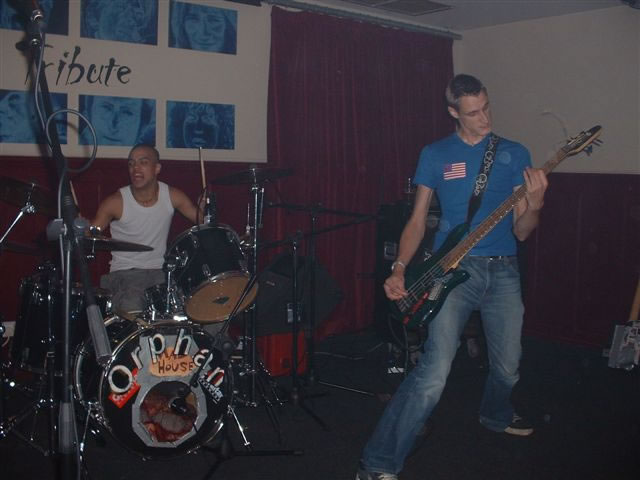
Getting on for two decades later, I began to suffer from the nostalgia that sets in around middle age. I wanted to hear the bands of my youth again, to get a taste of those wild times from my early twenties. But there was no trace of the music on the Internet, and barely any mentions of my favourite local bands in Google’s search index. It was like it never happened.
Luckily, I turned up a carrier bag of CDs from a friend and found what I was looking for, which I put online and so began my Medway Scene (Post 2000) project.
Preserving *your* local music scene
Like I said; if I can do it, anybody can. If you have a stack of CDs picked up at gigs you went to at your local dive bars and toilet venues, there’s a very good chance that almost nobody else on the planet has them.
The only real chance that that music self-published by long-since imploded bands on burned CDs 15 years ago has of living into the future is if *you* do something about it and take the steps to make it available. Be a hero and do it, it’s easy.
In this article, I’ll tell you my method and explain the choices I’ve made. I’m not saying my way is the right way and I’m sure that professional archivists and librarians might have different opinions, but it is what has worked for me.
First of all, the platform.
If you’re intending to put your local scene’s music online, you need to put it somewhere sustainable; somewhere that is going to hold it safely for a long time. If you build your own website for it, that’ll live for as long as you pay for hosting and the domain, which might not be a long time in the grand scheme of things. If you put it on Facebook in a group or on a page instead then it’s always at risk of an algorithm deciding it needs to be deleted one day because of reasons and with no recourse. If you put it into a Dropbox or similar, it’ll remain obscure and unfound. And so on.
The platform I have chosen as the home base for my collection is the Internet Archive, a gargantuan digital library of text, video, audio, and everything else, including a decades-long back-up of the world wide web. For anybody not previously aware of the miracle that is Internet Archive, it’s the nearest thing that exists to permanence on the ‘Net.
Internet Archive does some very clever things with the media uploaded to it. Making material accessible is what IA is all about, so music uploads are automatically converted to multiple formats and then presented as playable files in-browser, jukebox style.
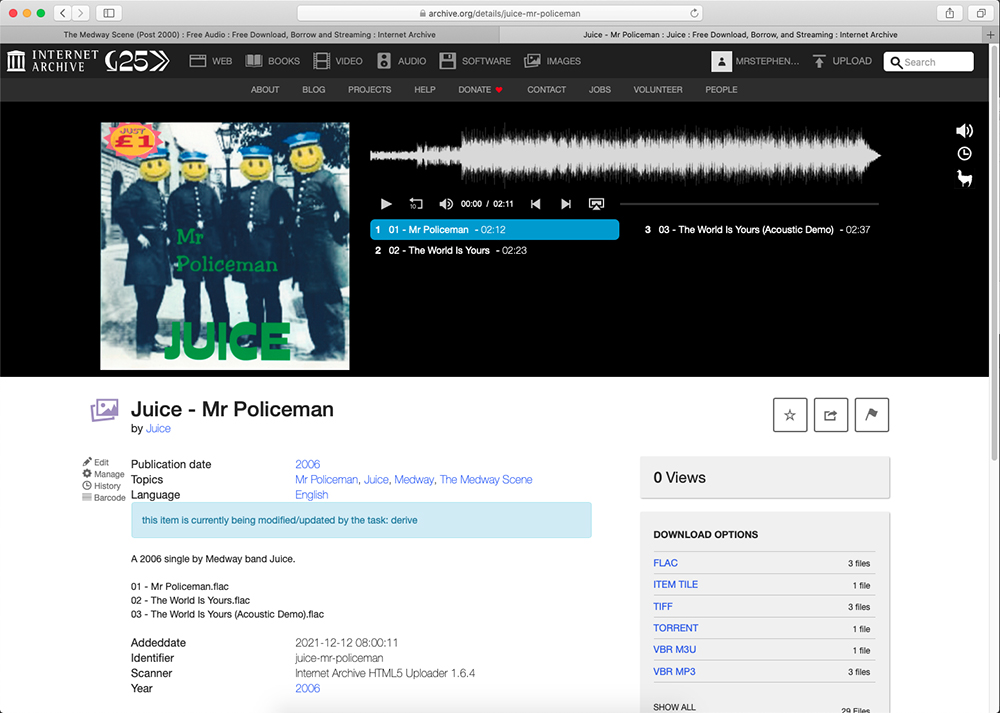
This means that you can upload the contents of a CD and, within moments, have a web page for it that anybody can access and immediately dive in to the music. Metadata is an important aspect of any archival effort; the who, what, why, where, and when of it. Adding song titles, band name, publishing date, and anything else to the upload that is relevant will help your items in Internet Archive be well indexed in search engines and found by others looking to enjoy the past.
It is all free of charge and, copyright objections excluded (IA does, of course, honour genuine takedown demands), essentially bullet-proof; your uploads will be on the Internet Archive for many decades to come and also saved for posterity in the multiple offline secure back-ups of the Internet Archive around the globe. Truly, using Internet Archive as the platform for these efforts is the best option that I can see.
So, the method for getting your local music into Internet Archive? Read on …
Take your local band’s CD and insert it to your computer’s CD drive. Listen to it spin up, wait for the CD to mount to your desktop. You will find that some of your CDs have gone a bit crap and might take a couple of cleans before your computer can correctly mount them. CDs don’t last forever, unfortunately, and the cheap burned CDs commonly used by amateur bands especially will have by now begun to degrade. I have a sad little pile of totally dead CDs sitting next to me, the contents of which are now lost in time, like tears in rain.
Using CD Ripper Software, convert the CD contents to a lossless format, such as FLAC. I use an app called fre:ac on my Mac, but this program is available for Windows and Linux too. It is a simple piece of software with a plain interface and relatively obvious controls, but I recommend searching up a couple of user-guides first to help you get to grips with it.
Now, I stipulate above that the conversion should be to FLAC. This is a lossless format, which means that it does not dump any data as it converts the audio file and that you end up with as true a copy of it as possible. The file sizes will be bigger than you might be used to from your mp3 collection (often, an album of songs ripped in FLAC will end up 700 or 800MB in size, 10 times or so larger than if they were in mp3). The problem with mp3 is that it is a destructive format; it throws away data as it converts and compresses the audio file, reducing the sound quality and hampering the goal to fully preserve the music. Please, use FLAC!
Once you have your ripped files, give them a play test to make sure they sound OK and that the files are of the full song; you don’t want to be uploading any tracks that cut off early due to a ripping error. If you find that the files have not ripped correctly, give the CD a good clean and try again. I have had to try a handful of CDs multiple times before I’ve managed to get a good rip of all the songs. It is worth persevering but if you have tried a CD 4 or 5 times and keep getting bad results, the CD is probably dead…
The next step once you have confirmed that you have good audio files is to scan the CD and all cover art. This is a crucial step in my workflow as I consider the preservation of the ephemera almost as important as preserving the music itself.
Quality is what we’re going for here, streamlining file size is not a concern. I set my scanning software to capture TIFF files at 600dpi (the software is VueScan, a multi-platform app that works with pretty much any scanner ever made and gives you a much more controllable set of options than most bundled scanner software will. VueScan is not free but it is worth its weight in gold!). This produces high-quality, high-resolution, lossless image files that truly capture the detail of the release.
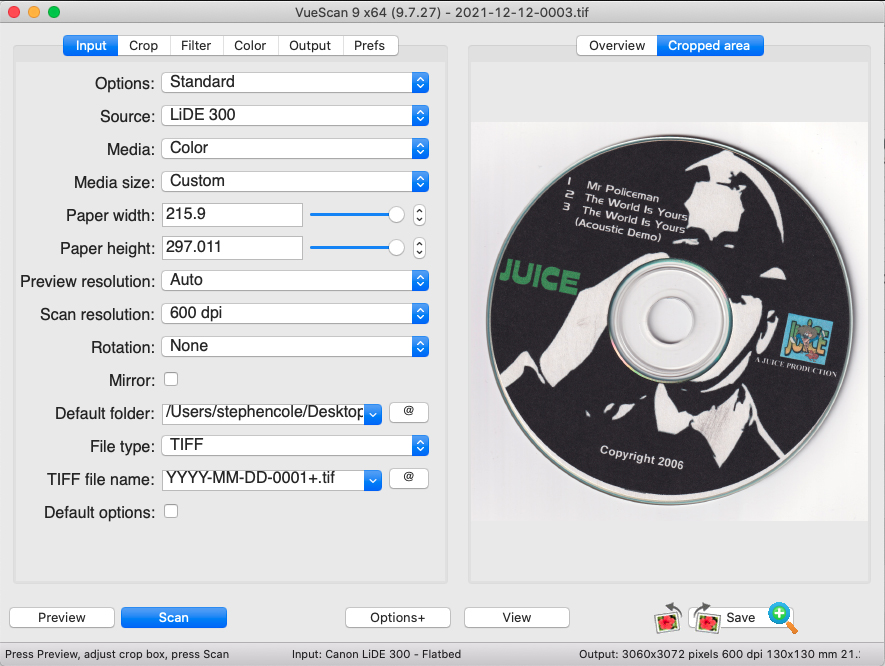
Scan everything; the cover, all pages of any inlay booklet, the rear cover, the CD, and anything else included with the CD such as flyers or stickers. Rename these files in sequential order (I use 0001.tif, 0002.tif, etc) and the first sequentially named file (0001.tif) will be displayed as the Internet Archive page tile, next to the audio player jukebox.
More professionally manufactured CDs will have the audio files neatly named with song titles. From my experience, these will be few and far between in your collection of local music… You’ll most commonly find the songs on your CD untitled and will end up with files named something like “01 – Audio Track.flac”, which is pretty ugly.
These can be easily renamed, though, simply by editing the filename in Finder (Mac) or Explorer (Windows). You can go deeper and edit the file properties if you like and enter artist name and song titles but I rarely do, personally.
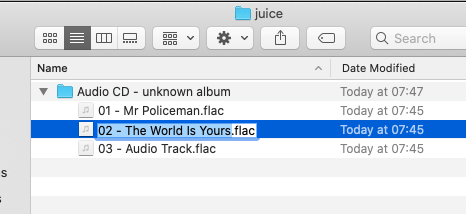
Once you have renamed all of the files, copy and paste the filenames into a plain text (not rich text, or Word, or anything other than a .txt) file. This makes it easy to cleanly copy/paste to the description when you are creating the Internet Archive upload.
So, we now have all of our ducks in a row;
- Ripped music, in lossless format, renamed in a folder
- Scanned cover and art images, in high-resolution, renamed sequentially
- A text file with the song titles
Let’s get this all uploaded! 😀
Create an Internet Archive account if you don’t already have one. As stated earlier, it is free of charge!
Hit the “upload” button, drag and drop your audio and image files, and tap in the details; give the item a good, clear title (band name and release name is all I enter), type a new URL slug to reflect that title, add a simple description, paste the song titles to the description, add some tags that are relevant to the upload, add the creator (band/musician) name, choose the collection to upload to (Community Audio would be fine but I’ll come back to this point shortly), select the publication year, set the language, et voila! You have preserved a piece of your local music scene!
Here’s a brief video showing the above steps; as you can see it only takes a matter of seconds to do, it’s that easy!
Now, in terms of which collection in Internet Archive to upload to, there are multiple options. Community Audio is the most generic choice but is perfectly right and proper. A collection called “Folksoundomy: A Library of Sound” is another option. If you have a stack of CDs for your local scene to archive, though, it might be a good idea to set up a bespoke collection to house it all.
This is not something that users can spontaneously do; you will have to reach out to IA to request it via info@archive.org, and this page explains the process clearly and succinctly. One caveat is that there must be at least 50 items to add to the collection before it will be created, so get uploading before you ask for it!
Another very good point of contact for all things Internet Archive is Jason Scott, a well-known and highly visible member of IA staff. I contacted Jason and explained my request, that I had a load of items particular to a certain time and place and that I would like to build a collection for them and he supported and guided the creation of the Medway Scene (Post 2000) collection. In my opinion, it would be very much worth your while to follow Jason on Twitter and get in touch with him to discuss your aspirations as he is a source of very helpful advice and wisdom on these matters.
So you preserved your local music scene. What next?
You’ve done the hard work and preserved your local music, now it’s time to share it.
The way I’ve chosen to do that is through a combination of using social media and a bespoke website.
I have set up channels on Twitter, Facebook, and Instagram and post one item from the collection to each every day. Initially, I was doing this manually but this isn’t really a sustainable approach. I now use Buffer to schedule batches of posts to all three social networks, using a free account which allows for 10 items to be queued up at a time. Other than 20 minutes or so work once a week to program in the next batch of posts, this has removed all of the effort and allowed a steady and stable social media operation to be followed. The Twitter and Facebook channels for the Medway Scene (Post 2000) project have each built up a small following and it is very satisfying to see band members reacting positively to seeing their music saved and shared.
The website I set up for the project is again a mostly automated effort. Using the RSS feed provided by Internet Archive, I have set the site to pull in and post each new upload as a blog post. It’s relatively basic but it does the job of seeding the band names, release titles, and other keywords into Google’s index, increasing the findability of the music.
One final opportunity for exposure is via your local media. At the start of 2020 as the project was several months underway I reached out to my local newspaper and was delighted to see a great story published, both online and in the print edition of the Medway Messenger.
This activity in addition to the uploads to Internet Archive has had the desired effect; a search in Google for “The Medway Scene” returns listings dominated by references to my project, building the opportunities for people to randomly find the music they might one day be wistfully searching for.
There you have it! Archiving and preserving music and ephemera from the Medway music scene has been an absolute pleasure, and I’ve still got a lot of work to do with a big pile of CDs sitting next to me waiting for their turn. I hope to see more and more local music scenes preserved in the same way over the coming years.